
Basics
pfSense 2.9.0 on Proxmox
Installing pfSense 2.9.0 on Proxmox. An update for 2026. Including how to setup the GEMU Guest Agent. And Unbound 1.26.0 security issue fix for older installs.

Since 1975, a HomeLab enthusiast. In IT 1970 →, 25y for Fortune 500 companies, rest as independent entrepreneur and senior consultant, IT and Management. Happily retired from IT 2011 and totally 2020.

Basics
Installing pfSense 2.9.0 on Proxmox. An update for 2026. Including how to setup the GEMU Guest Agent. And Unbound 1.26.0 security issue fix for older installs.

Docker
Anyone using computers knows how important the DNS is. For a homelab we need more, things like blocking bad sites. Without a working DNS you are lost and nothing will work. Technitium is a DNS Server for Privacy and Security including site blocking and syncronication. We set it up using Docker.

MyNewLab
I took my old MacBook Pro (Intel) and upgraded it with a version of Arch Linux, Omarchy 4.0. It's beautiful, easy to use, and all based on Arch. It's also a system you will learn to love Omarchy 4.0.

Networking
Setting up a VM or a VPS is easy. But you need to make it secure, and that is hard. Here we discover 2 of the basic tools UFW and Fail2ban. This post is about setup, making it safe and secure and the results running for a day. This is the first step when setting up a new web facing VM or a VPS.

DNS
To use friendly names instead of IPs. Set up a Private Domain with Technitium. We set up a Domain Name Server ns1 and configure it to handle our domain, example.com or mylab.lan. Options for later: DHCP, a cluster with at least ns1 and ns2 for redundancy, and add ad-blocking if that's needed.

Security
SSH is the quintessential tool for server administration. But, most servers and VPS are installed with less than optimal settings for SSH. We don't want root to be able to log in, it's a security vulnerability. We don't want to allow the use of passwords for nobody to log in to our servers/VPS.

Build
One way to use Tailscale on Proxmox servers for remote access is to use a Proxmox CT (LXC) and it will be unprivileged for security reasons. Using one LXC we can reach all our devices on the remote site securely. Tailscale makes WireGuard mesh networking easy.
Tools
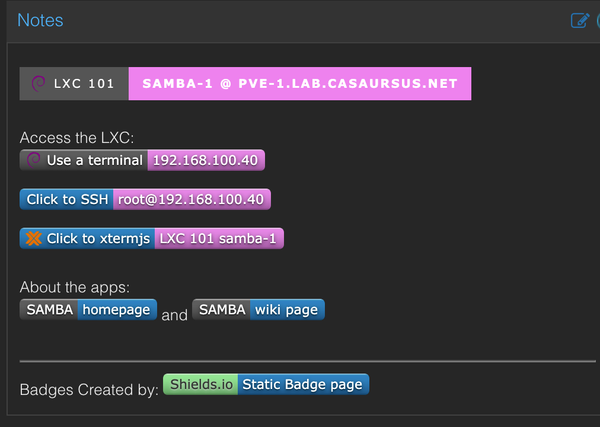
Attach a USB SSD or just a memory stick to a privileged LXC container on Proxmox, then install Samba in the container, and share the contents over the network. A network storage and more for SMB users. A fine place for ISOs and Cloud Images or family pictures or other media stuff.

Networking
Running Tailscale is really easy and you can use their Control Center. But, how about total autonomy and self-host the Tailscale Control Center on your own server or a VPS. It is possible, and this post is about setting it all up using Headscale.

Markdown is a text-to-HTML conversion tool for web writers. It allows you to write using an easy-to-read, easy-to-write plain text format, then convert it to structurally valid XHTML (or HTML). — John Gruber

Networking
Anyone who do remote work will have the need to start a remote machine at some point in their career. I'm using UpSnap in my Tailscale VM in Docker to perform WoL of some of the Servers. This VM is on an always on server and runs: Portainer, Tailscale and UpSnap.

Ricing
If you want to show Copyright and other warning or display system information in the Login or Banner Page, you definitely can do it.