
UpSnap
Anyone who do remote work will have the need to start a remote machine at some point in their career. I'm using UpSnap in my Tailscale VM in Docker to perform WoL of some of the Servers. This VM is on an always on server and runs: Portainer, Tailscale and UpSnap.


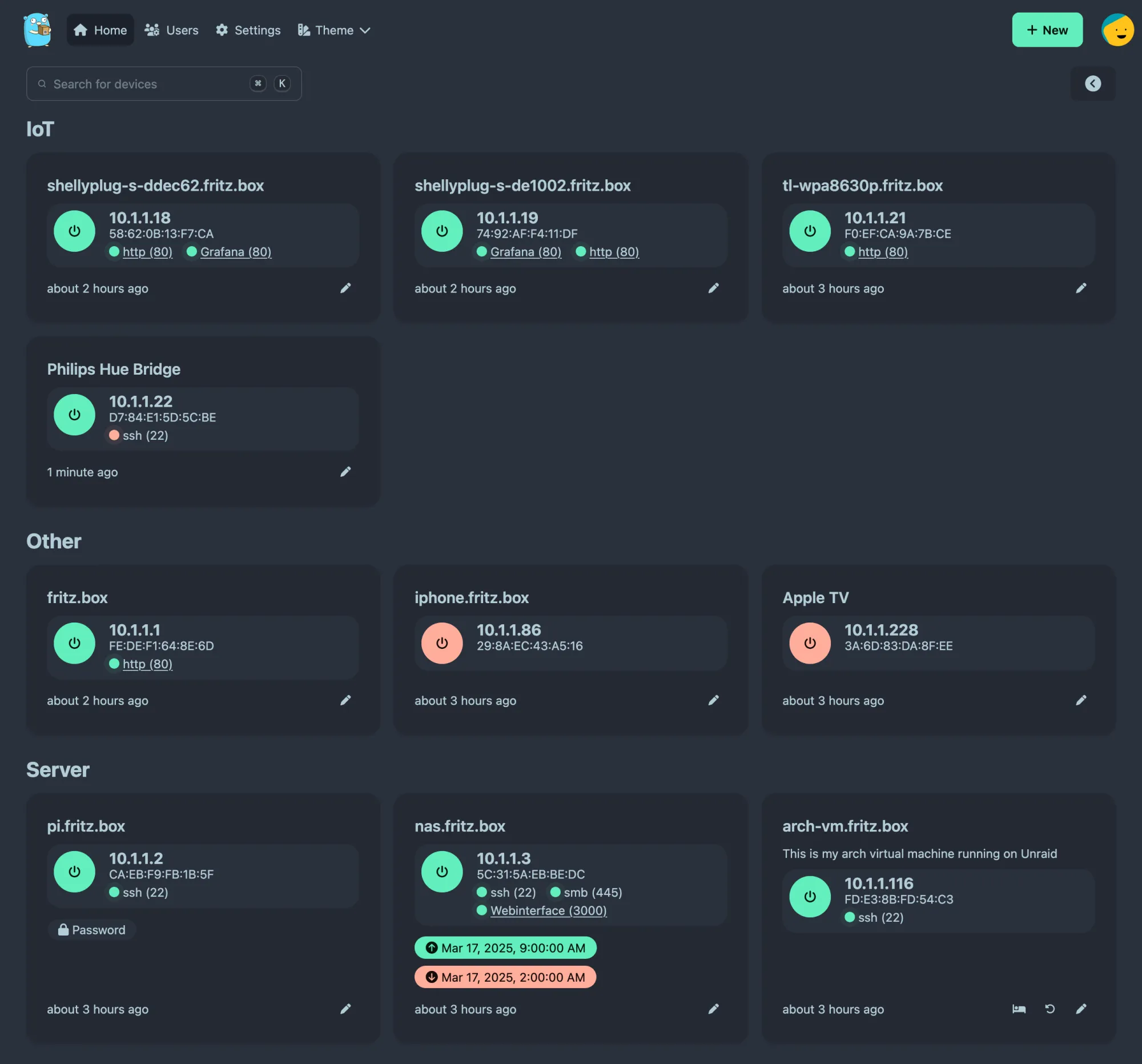
UpSnap Wake-on-LAN application
The name is what it is, but the app is good at what it does.
Installation
As my Tailscale is running in Docker – UpSnap is too. For me a WoL app is a good companion app for Tailscale. This VM is on an always on server and runs: Portainer, Tailscale and UpSnap.
compose.yml
As I do not run my containers as root. I do this first:
- create a directory called upsnap/data
mkdir -p upsnap/data - And set
user: 1000:1000
There are some things we need to have set:
- NET_RAW is required for privileged ping and network device scan (nmap)
- Network mode has to be
hostfor WOL magic packets - DNS is used for name resolution during network scan
You can get the image from GitHub or Docker Hub,
check the References section for links.
services:
  upsnap:
    cap_add:
      - NET_RAW
    cap_drop:
      - ALL
    container_name: upsnap
    image: ghcr.io/seriousm4x/upsnap:5
    network_mode: host
    restart: unless-stopped
    volumes:
      - /home/user/upsnap/data:/app/pb_data
    user: 1000:1000
    environment:
      - TZ=$TZ
      - UPSNAP_HTTP_LISTEN=$UPSNAP_HTTP_LISTEN
      - UPSNAP_SCAN_RANGE=$UPSNAP_SCAN_RANGE
      - UPSNAP_SCAN_TIMEOUT=$UPSNAP_SCAN_TIMEOUT
      - UPSNAP_WEBSITE_TITLE=$UPSNAP_WEBSITE_TITLE
    # Other
    #   - UPSNAP_INTERVAL=$UPSNAP_INTERVAL
    #   - UPSNAP_PING_PRIVILEGED=$UPSNAP_PING_PRIVILEGED
    security_opt:
      - no-new-privileges=true
    dns:
      - 192.0.2.1
.env
The UPSNAP environment settings:
- TZ – Your preferred timezone
- INTERVAL – Sets the interval in which the devices are pinged
- SCAN_RANGE – Scan range is used for device discovery on local network
- SCAN_TIMEOUT – Scan timeout is nmap's --host-timeout value to wait for devices (Link to man page)
- PING_PRIVILEGED – Default is true.
- Set to false for unprivileged ping
- For Linux hosts, unprivileged pings requires the host to set
sysctl net.ipv4.ping_group_range="0 2147483647"or another suitable value to grant the group access to send ping and WoL magic packets.
- For Linux hosts, unprivileged pings requires the host to set
- Set to false for unprivileged ping
- WEBSITE_TITLE A custom name for the website title
TZ=Europe/Helsinki
UPSNAP_HTTP_LISTEN=192.0.2.227:8090
UPSNAP_INTERVAL=*/10 * * * * *
UPSNAP_SCAN_RANGE=192.0.2.0/24
UPSNAP_SCAN_TIMEOUT=500ms
UPSNAP_WEBSITE_TITLE=MySite
Using alternative port
UPSNAP_HTTP_LISTEN=0.0.0.0:3000Initializing
You need to initialize UpSnap before you can use it. It will create the initial certificates and the admin user.
Initializing is done when you start it for the first time using the link from the log.
Starting
After initialization, you can proceed to set up the app and scan the network for devices
References
UpSnap [1]
UpSnap GitHub, Docker Hub ↩︎


