
Build
Make your own Blog with Ghost
Do you need a self-hosted blog or home page? Off course – we all need them, and a lot of them. Ghost 6 is my favorite, both as hosted and self-hosted. I prefer to run it in Docker or Docker Swarm for HA.

To build a home lab on Linux with Docker and Dockge/Portainer. Self hosting servers, services, websites and more. Using Ubuntu and Proxmox. Backed by TrueNAS.

Build
Do you need a self-hosted blog or home page? Off course – we all need them, and a lot of them. Ghost 6 is my favorite, both as hosted and self-hosted. I prefer to run it in Docker or Docker Swarm for HA.

Build
Who hates the Proxmox nagging screen? We all do. Working on corporate systems you do not see it, but at home it's there every time you need to log in to the GUI. This is how you get rid of the Proxmox No Subscription Notice screen. How to use SSH keys. Tested and works on Proxmox PVE 9 and PBS 4.

Build
Installing Docker-Desktop on PopOS. As it isn't in the Pop!-Shop we need to add the repo and some other packages. The actual installation of Docker-Desktop is the recommended way for any Ubuntu installation.

Build
Another ultralight NAS installation. Samba is the SMB server on Linux, introduced in 1992. Everyone needs storage, and samba is what we use for Windows storage. This one uses a small VM with Docker .
Backup
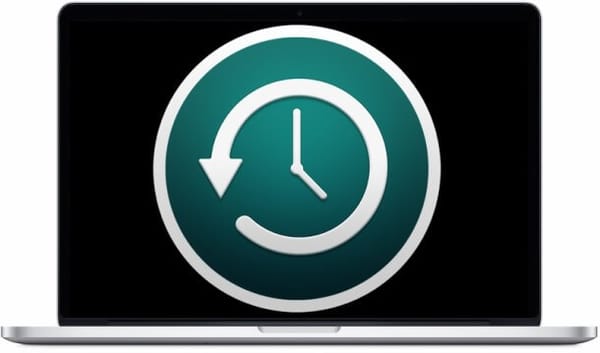
Apple MacBook backups to a Docker based VM, `timemachine`. Adding the Samba share and then add the storage to your Time Machine as usual.

Basics
Do you require a certain set of files with you, regardless of the device you're using, be it a different PC or even your mobile device? You don't have to fumble with USB sticks or cloud storage or NextCloud. File/directory synchronization is done automatically by Syncthing including version control.

pro
Your choice between Proxmox and XCP-ng will depend on your specifics and priorities, including performance, user-friendliness, and your infrastructure. Both offer a wide range of similar features. Xen Orchestra in a Proxmox VM with QGA and HTTPS or in Docker. Moving from VMware to XCP to Proxmox.

Basics
Pass is the standard Unix password manager. I use PASS multiple times a day, and it never fails me. If you're looking for a secure offline password manager, look no further. Add a Git repository, and it's fantastic. In a GUI, QtPass. Also, OTP TOTP and 2FA are possible directly in the command line.

Docker
The workhorse on any lab is Docker. With Dockge the stacks are easy to deploy and manage. I run this as a script when I need a Docker VM.

Remote Access
Configure SSH Tunnel (Port Forwarding) on macOS, Linux and Windows using OpenSSH. In this example, I will show how to tunnel an RDP connection traffic over OpenSSH.

Build
Sometimes it's nice to play with a filbrowser on a NAS. One nice small project is - filbrowser. I have a post about using it with docker, but this is how to set filebrowser up on Alpine/Ubuntu/Debian VM/CT

Build
Running a NAS in a Proxmox VM might need a web based File Browser. The filebrowser is the easiest and smallest to use. The filebrowser run on docker. Linux, macOS, and Windows are also supported. #filebrowser #docker #proxmox