
SmokePing
SmokePing is a deluxe latency measurement tool. It can measure, store and display latency, latency distribution and packet loss. SmokePing uses the RRDtool to maintain a long term data-store. It draws informative graphs of the state of each network connection to express up-to-the-minute information.

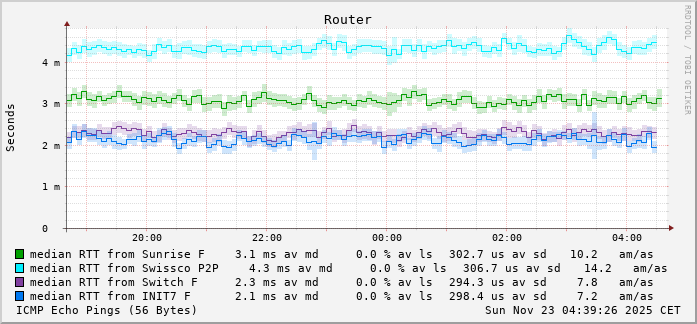
What is SmokePing
- SmokePing is an open-source and free network latency visualizer
- It's a frontend to RRDtool frontend
- You define the targets of the ICMP echo requests
- It's expandable through plug-in modules
- Easy to customize through a web template and an extensive configuration file.
- Written in Perl and should readily port to any Unix system
- It's able to deal with DYNAMIC IP addresses, as used with Cable and ADSL internet.
- You can run multiple distributed instances of SmokePing in a Master - Slave configuration
Smokeping sends out pings and measures the response times and consistency of the responses. You see if the host is reachable, and you see how stable and/or consistent the connection is.
SmokePing is created by the developer Tobias Oetiker. He is the developer behind the RRD tool (Round Robin Database) and MRTG tool (Multi Router Traffic Grapher).
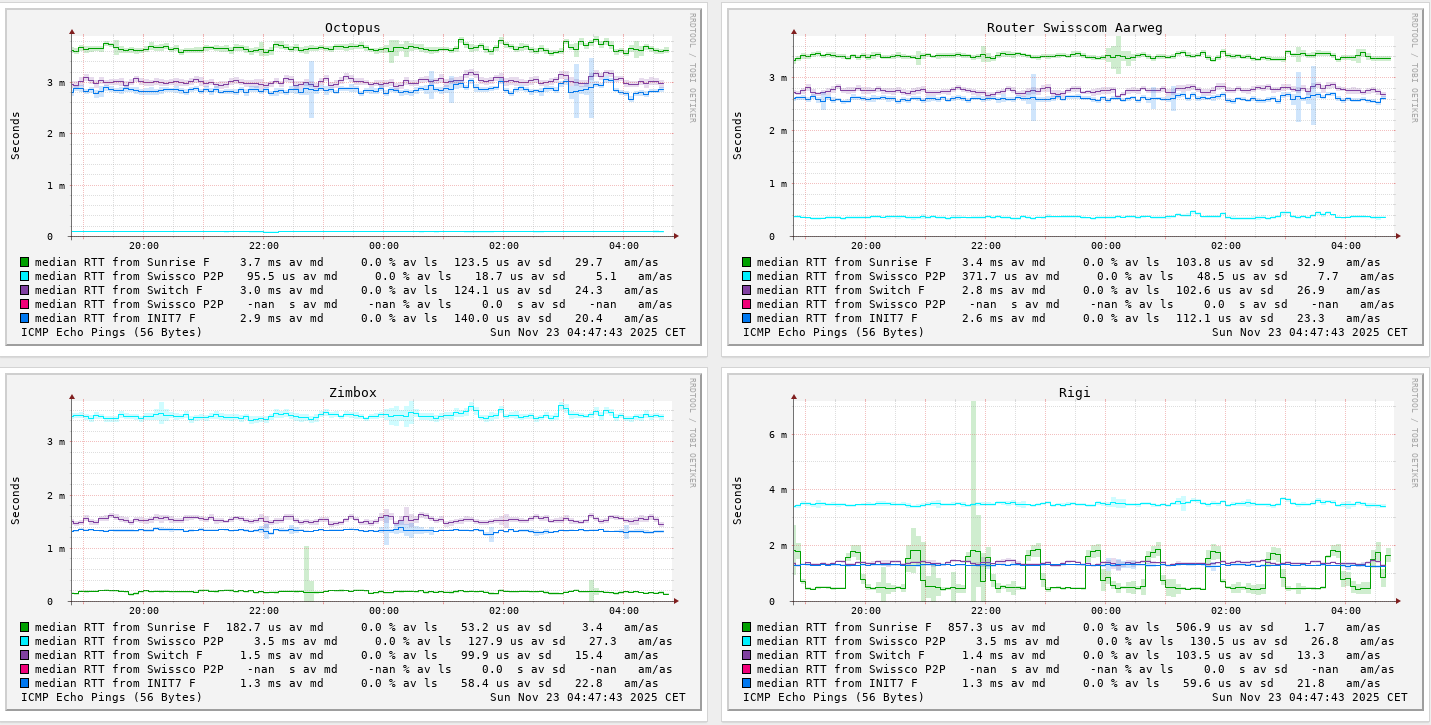
See more examples at the Demo page.
Installation
Smokeping can be installed in different ways. Here is an example of Docker on a VM called: basic-tools. Add the services entry like the examples below.
Depending on your network setup, you need to change this.
You might like to create two networks. One for IPv4 and one for IPv6:
docker network create -d bridge frontenddocker network create frontend6 --ipv6=true(if you want to ping IPv6)
You need to change, at least:
- change the PUID and PGID
- change the TZ to your preferred timezone
- change the port, 8080 is probably already in use
- change the volumes according to your setup
---
services:
  smokeping:
    image: lscr.io/linuxserver/smokeping:latest
    container_name: smokeping
    hostname: smokeping #optional
    environment:
      - PUID=1000
      - PGID=1000
      - TZ=Etc/UTC
      ## The 3 lines below is for master-slave configs
      #- MASTER_URL=http://<master-host-ip>:80/smokeping/ #optional
      #- SHARED_SECRET=password #optional
      #- CACHE_DIR=/tmp #optional
    volumes:
      - ./smokeping/config:/config
      - ./smokeping/data:/data
    networks:
      - frontend
      - frontend6
    ports:
      - 8080:80
    restart: unless-stopped

networks:
  frontend:
    external: true
  frontend6:
    external: true
Targets file includes items that may or may not work. These are simply to provide examples of configuration.After starting the basic setup, you need to
The pin Targets
First, go to the /docker/smockeping/config and copy and edit or move and create
- copy and edit:
cp Targets Targets.orig- edit the
Targetsfile in to ping the hosts you're interested in to match the format found there.
- move and create
mv Targets Targets.orignano Targets- Add the needed
LocalandRemotetarget addresses
- Wait 10 min and then reload the config without restarting or restarting the container
run the command below, replacesmokepingwith your container ID.- reload:
docker exec smokeping pkill -f -HUP '/usr/bin/perl /usr/s?bin/smokeping(_cgi)?' - restart:
docker restart smokeping
- reload:
Example of the Targets file
Broken down by segments for clarity. The indents are optional, and used only for clarity.
Generic part
*** Targets ***

probe = FPing

menu = Top
title = Network Latency Grapher
remark = Welcome to the SmokePing website of the CasaUrsus Lab. \
         Here you will learn all about the latency of our network.
Append your settings, examples below
Local Network
+ lan
  menu = My Local Network
  title = My Local Network Latency

  ++ Router
    menu = Router
    title = Home Router
    host = 192.2.0.1

  ++ Switch10
    menu = L3 Switch
    title = L3 Switch
    host = 10.10.10.10

  ++ Switch11
    menu = Top of Rack Switch
    title = Top of Rack Switch
    host = 10.10.10.11

  ++ Switch12
    menu = Lab Switch
    title = Lab Switch
    host = 10.10.10.12
TrueNAS Cluster
+ TrueNAS
  menu = TrueNAS Cluster
  title = Internal Latency

  ++ tn1
    menu = TrueNAS 1
    title = TrueNAS 1
    host = 10.10.10.32

  ++ tn2
    menu = TrueNAS 2
    title = TrueNAS 2
    host = 10.10.10.32

  ++ tn3
    menu = TrueNAS 3
    title = TrueNAS 3
    host = 10.10.10.33

  ++ TrueCommand
    menu = TrueCommand
    title = TrueCommand (Docker Host)
    host = 10.10.10.30
Proxmox Cluster
+ Proxmox
  menu = Proxmox Cluster - Lab
  title = Internal Latency

  ++ PDM
    menu = Proxmox Datacenter Manager (BETA)
    title = Proxmox Datacenter Manager
    host = 10.10.10.40

  ++ PVE-1
    menu = PVE 1
    title = PVE 1
    host = 10.10.10.41

  ++ PVE-2
    menu = PVE 2
    title = PVE 2
    host = 10.10.10.42
External Services
+ External
  menu = Internet
  title = External Latency

  ++ Google
    menu = Google
    title = Google
    host = google.com

  ++ github
    menu = GitHub
    title = GitHub
    host = github.com

  ++ CU
    menu = CasaUrsus
    title = CasaUrsus
    host = https://homelab.casaursus.net
DNS IPv4
+ dns
  menu = DNS
  title = DNS

  ++ GoogleDNS1
    menu = Google DNS 1
    title = Google DNS 1
    host = 8.8.8.8

  ++ GoogleDNS2
    menu = Google DNS 2
    title = Google DNS 2
    host = 8.8.4.4

  ++ cf1
    menu = Cloudflare 1
    title = Cloudflare 2
    host = 1.1.1.1

  ++ cf2
    menu = Cloudflare 2
    title = Cloudflare 2
    host = 1.0.0.1
DNS IPv6
+ IPv6
  menu = IPv6 DNS Hosts
  title = IPv6 Monitoring DNS
  probe = FPing6

  ++ googgle61
    menu = Google-1
    title = Google IPv6 2001:4860:4860::8888
    host = 2001:4860:4860::8888

  ++ google62
    menu = Google-2
    title = Google IPv6 2001:4860:4860::8844
    host = 2001:4860:4860::8844
See the documentation for more examples and a detailed discussion about setups.
References
SmokePing [1] RRDtool [2] LinuxServer.io [3]


