PVE Backup to a USB device
Some installations do not need or can afford a PBS. But as backups are the essential security you have for keeping your work safe from you and others, you may like this solution.


PVE has by default everything needed for making backups. For this solution you need a USB disk or even a USB stick could work as a short time solution, and it's cheap compared to a Backup Server.
Setting up the Disk
- Plugin the USB, preferably to a USB 3 port for speed.
- Find the right disk and wipe it to make it ready for use with Proxmox.
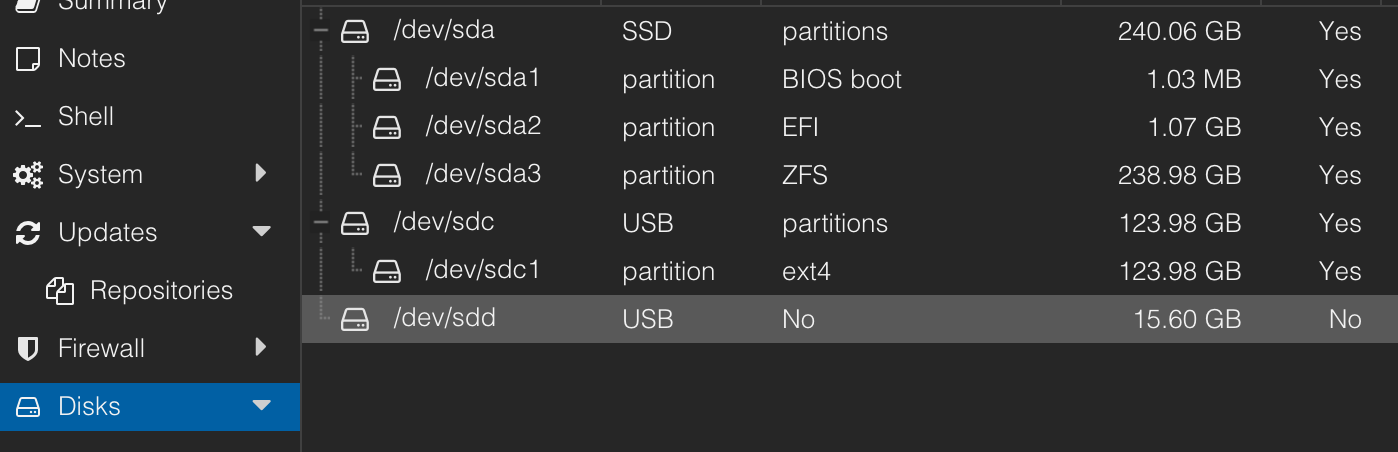
Using a pre-Formatted USB Disk
By using this method, you can move the backups and downloads or whatever you want to have on the disk to a new location or a new machine. Especially useful to use when upgrading a system by installing it from scratch or for added security.
lsblk, each time you plug in the USB Disk.Then to use the pre-formatted disk, you need to mount it by this command:
mount /dev/sdb2 -m /mnt/backupChange /dev/sdb2 and /mnt/backup to more appropriate names for your system
Create a Backup Directory
Go to Datacenter → Storage then Add – Directory and set it to store Backups only.
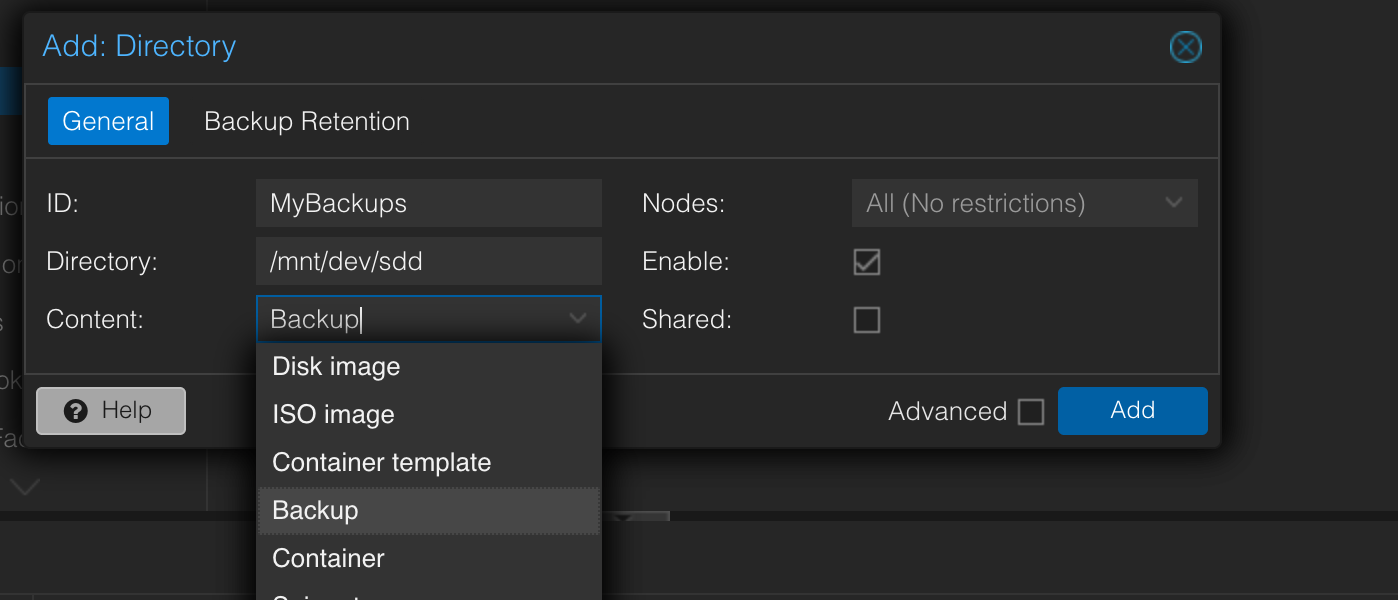
You might like to store other stuff like ISO too, but I prefer to only have backups on it.
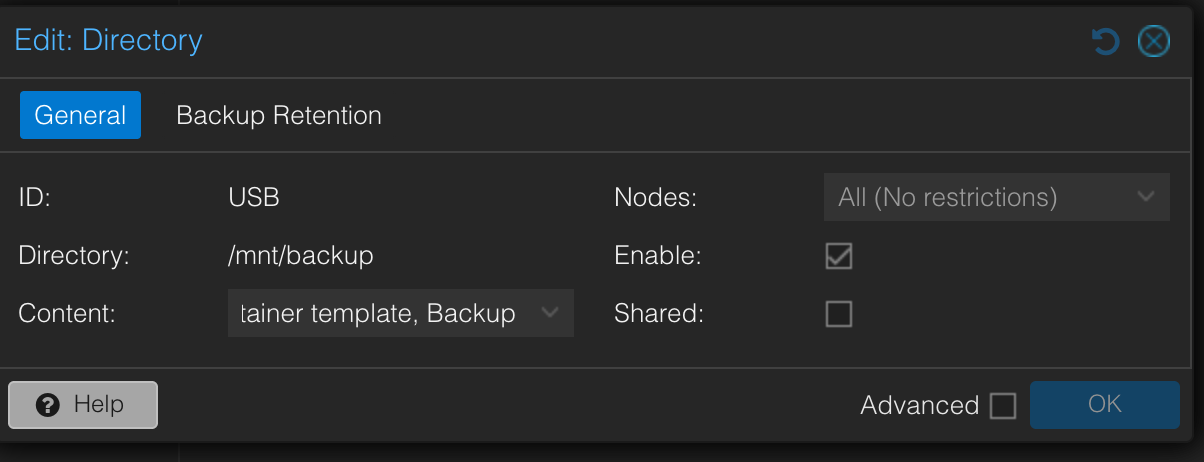
Using a pre-formatted USB Disk
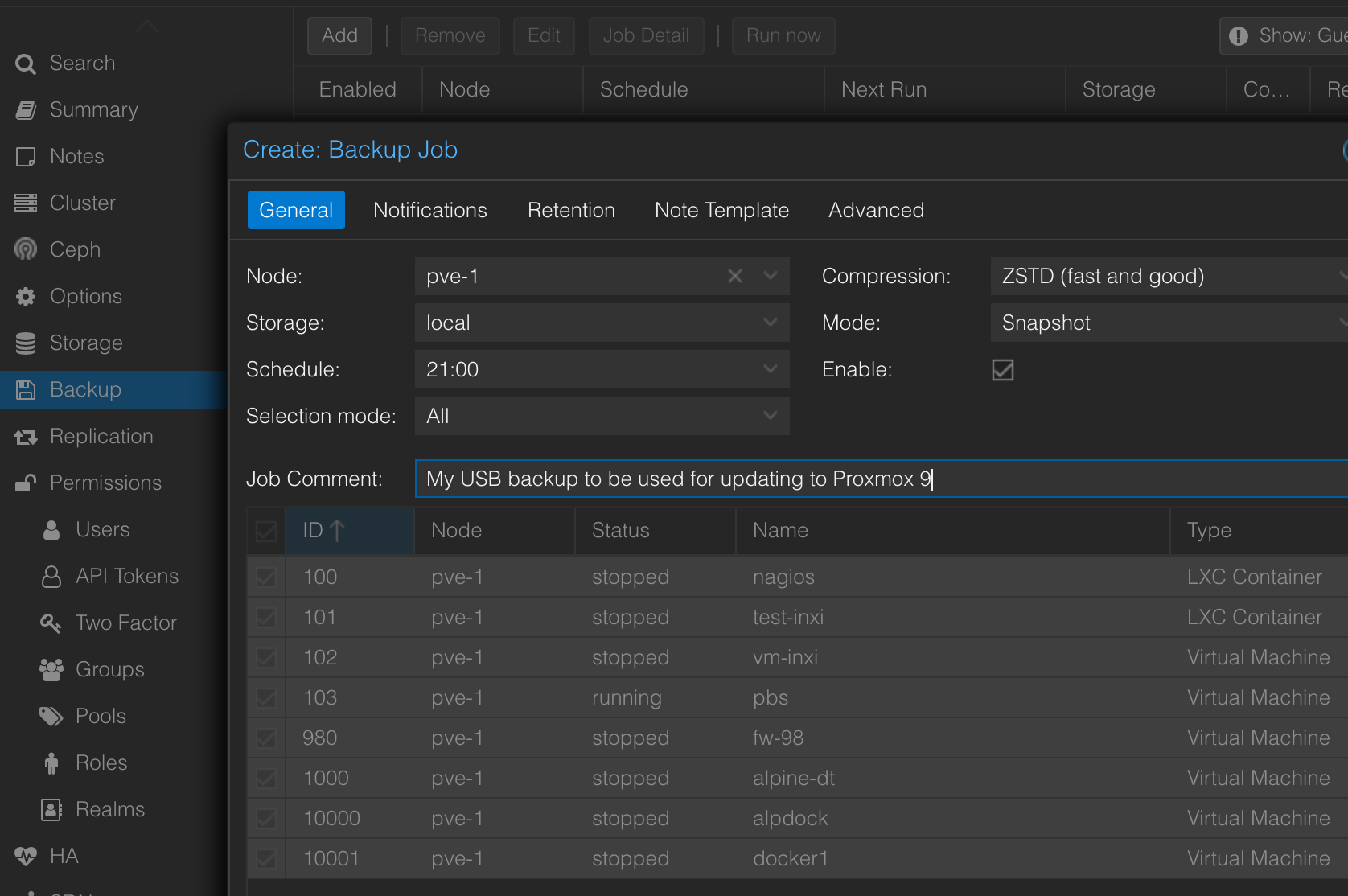
Create a Backup Job
Go to Datacenter → Storage and hit Add to create a Backup Job.