
Proxmox Datacenter Manager
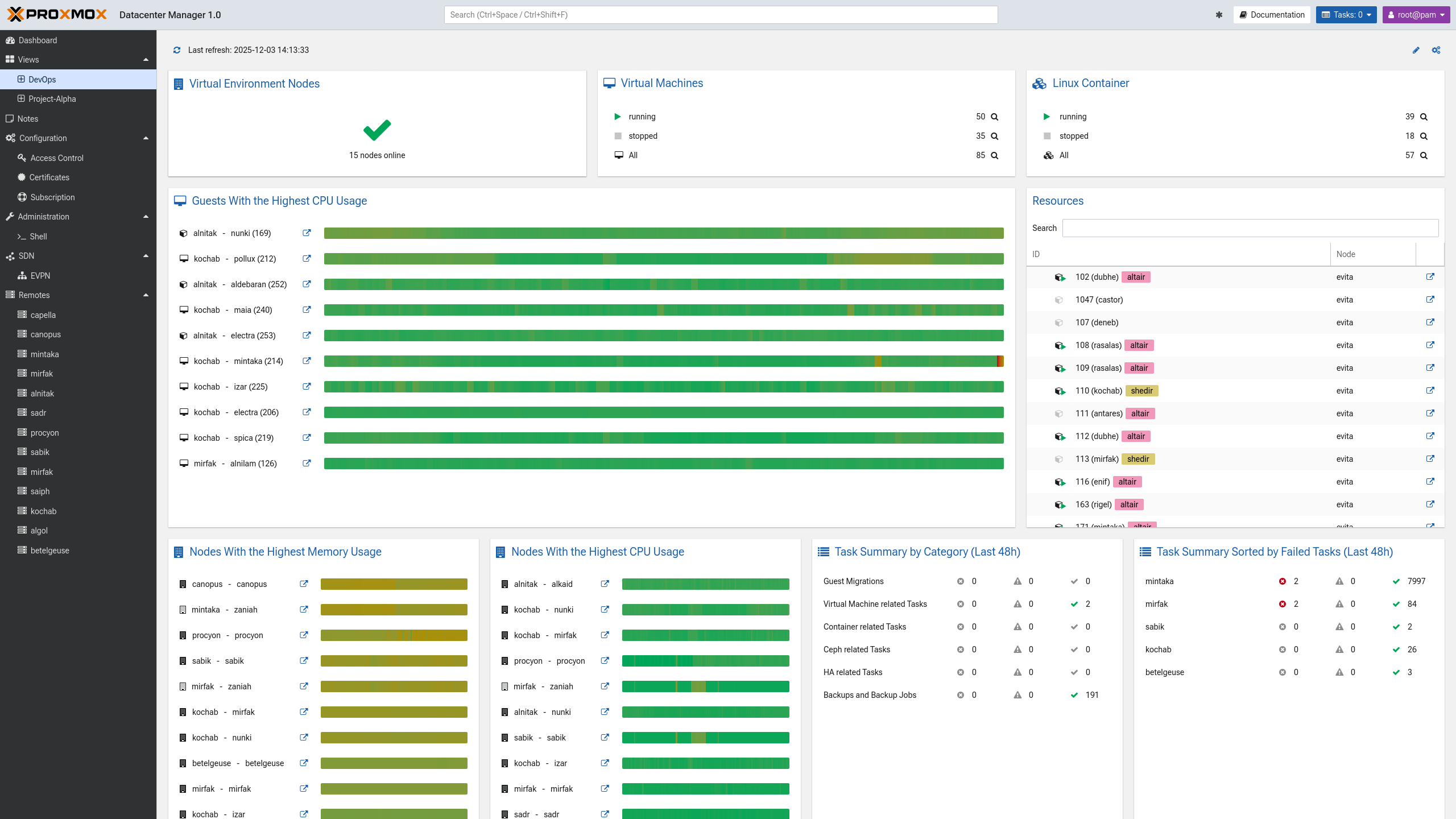
PDM is a perfect dashboard for our Proxmox setup. Perfect for a home lab, but The current version is now 1.0. It's an open-source, centralized solution providing a single pane of glass view overseeing and managing multiple, independent Proxmox based environments.

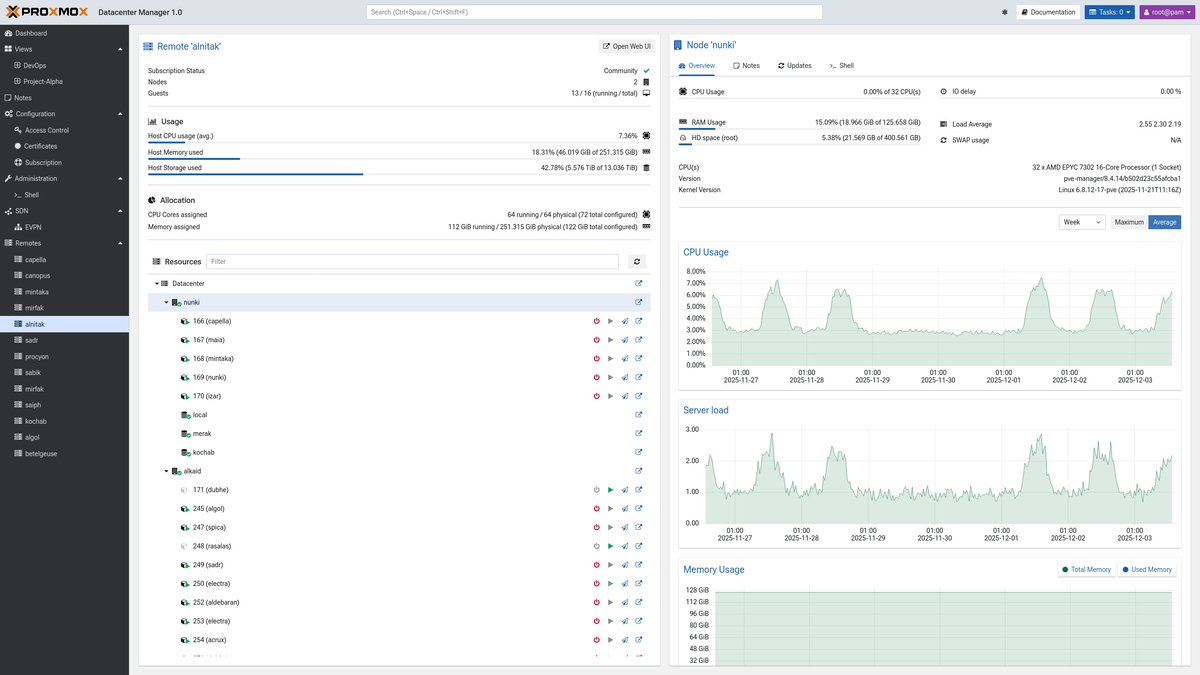
Proxmox Datacenter Manager is designed to empower large organizations, reduce administrative overhead and achieve operational efficiency across their distributed infrastructure, leading to a lowered TCO for complex, multi-site deployments.
Tight integration with PVE and PBS allows you to easily monitor and manage nodes and clusters. PDM simplifies management without sacrificing flexibility. Download the ISO file from the current downloads here or use the Download page.
You need to read the Release notes & Documentation, link.
System requirements
Minimum on a VM
- CPU: 1 core
- RAM: 1 GB
- Disk: 8+ GB
System requirements in Production:
- CPU: 64-bit (x86-64 or AMD64),
- 2+ Cores recommended
- RAM: 2+ GB RAM (more for managing more remotes)
- Disk: 8+ GB of free space
- Network: Dedicated NIC
Setup
Start by going to Administration and upgrade to the latest
Prepare the node for PDM
The following is recommendations only. PDM will create a standard token.
If you already added an admin user to be used instead of root, do it now.
Add an API Token for use with PDM. You could use one you have, but it's better to create a new one and set the expiry date, shorter is better.
Add your hosts/Clusters
Now we shall add our stand-a-lone hosts and/or clusters to the PDM by hitting Add Proxmox VE
Add remote
Go to Remotes and Add your cluster using a FQDN or an IP-address
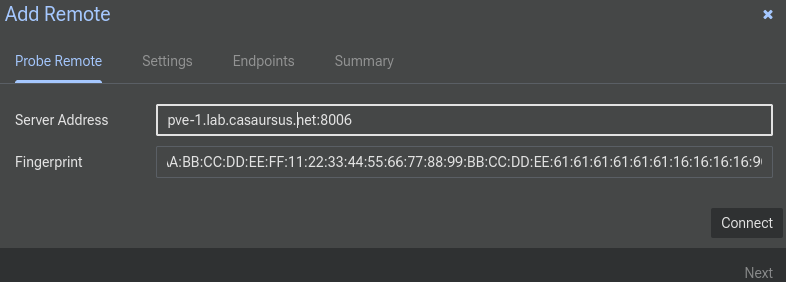
Copy the SSL Fingerprint from your nodes from node → System → Certificates pveproxy-ssl.pem or pve-ssl.pem
Hit Connect and wait for success, Connection OK, hit Next.
pvecm updatecerts -F && systemctl restart pvedaemon pveproxy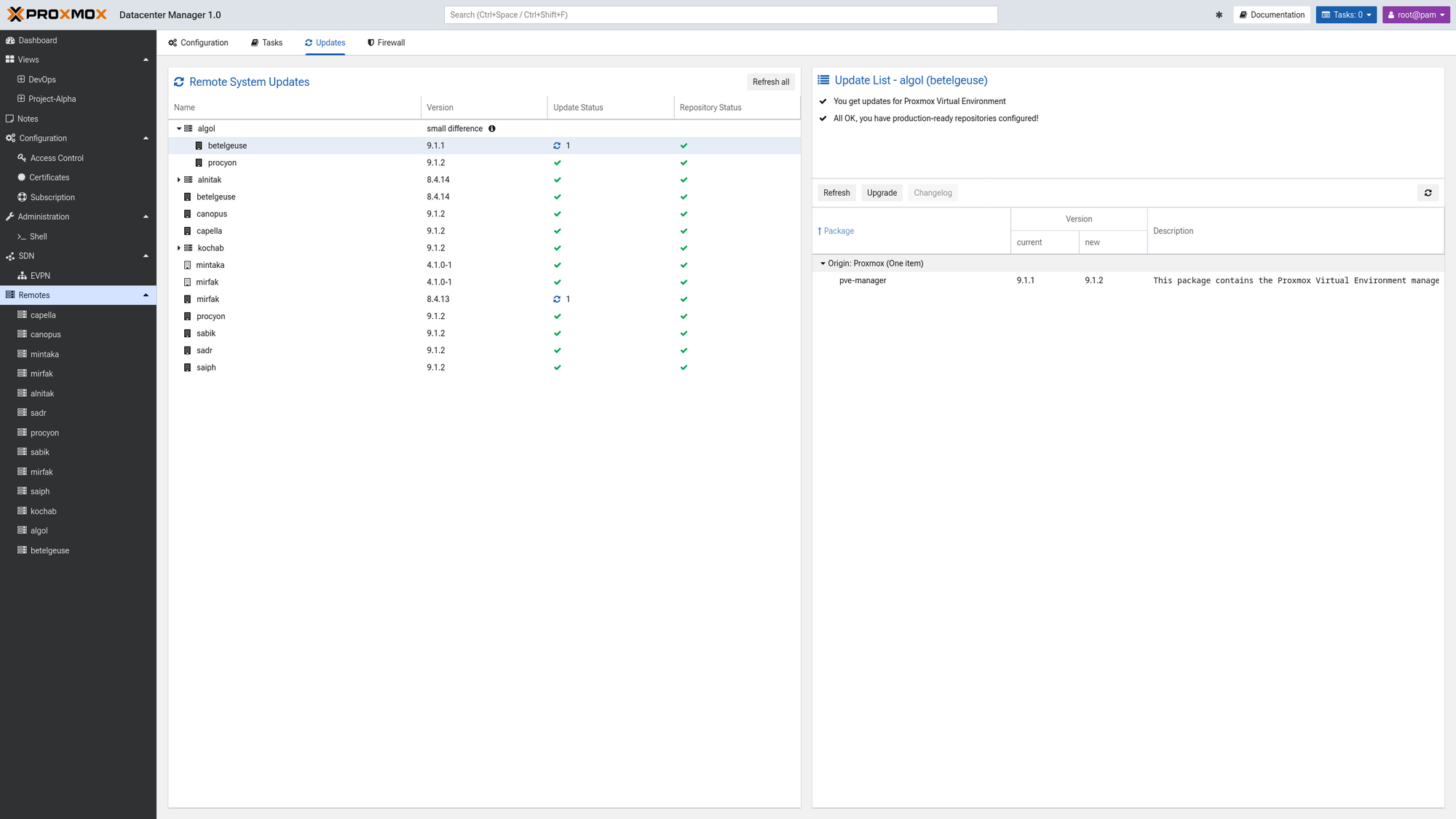
Add Settings
Then go to Settings and write the following:
- Remote-ID: PVE1 (nickname of a node or a cluster).
- Username: root or better is to use a have another admin account for it
- Password: a long and complicated one
- Realm: pam/pve
- API Token name
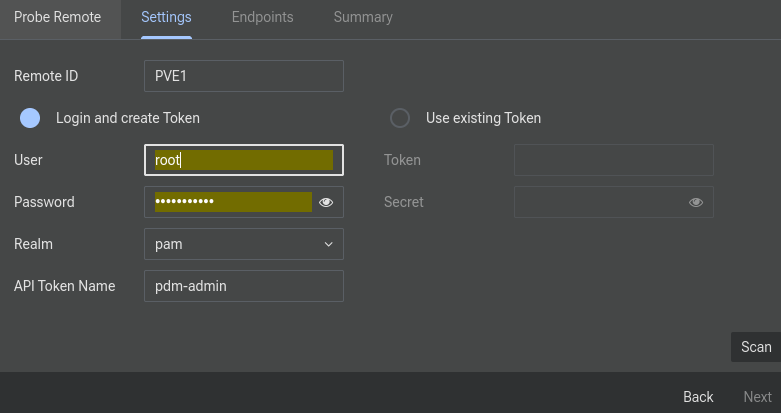
Hit scan and wait for success, Scan OK, and hit Next.
Endpoints
For a cluster, you will see all Hostnames and Fingerprints. Check and hit Next.
Summary
A summary is shown and if all is good, hit Finish
Similar products
See my blog post about the equivalent app for TrueNAS Cluster Management, TrueCommand.
References
PDM [1]


