
New Theme for PVE
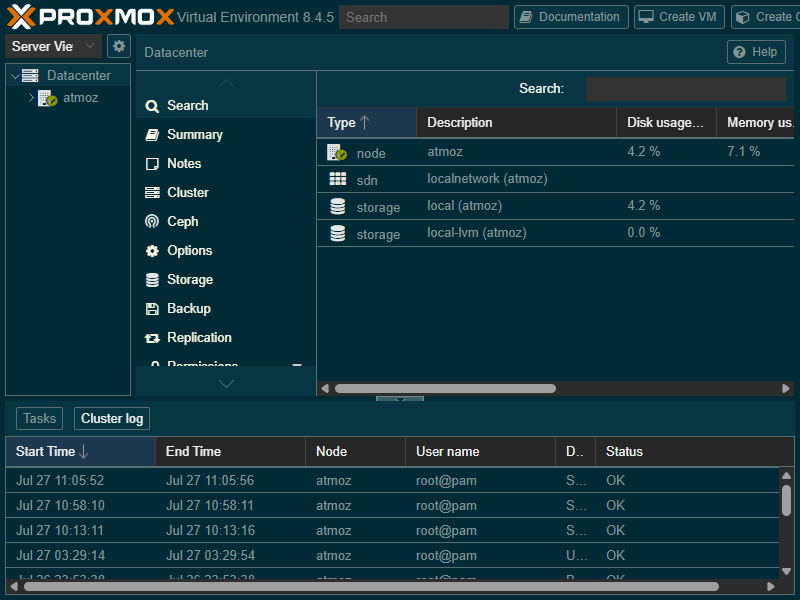
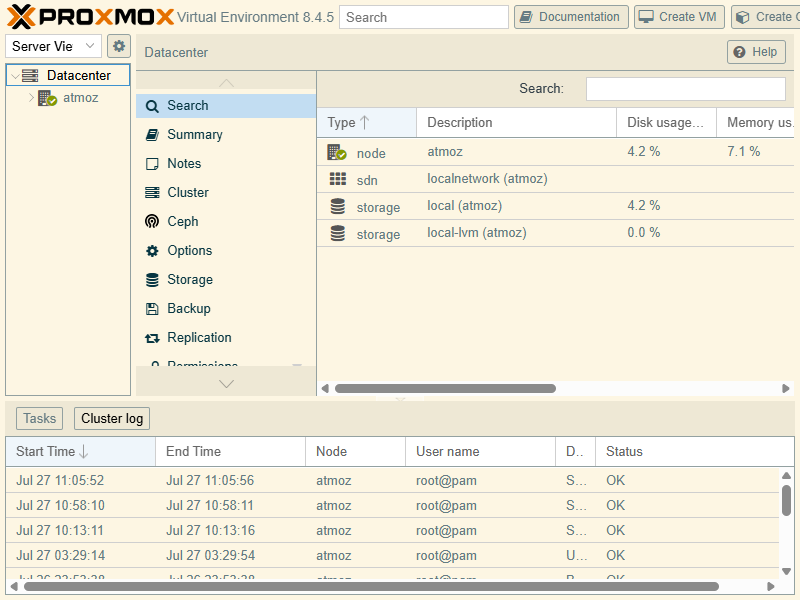
I like ricing my Linux stuff. This post is about a team from "dabeastnet". It will replace the default Proxmox theme. It's a Solarized inspired Light & Dark CSS theme for the PVE web UI. And yes, it will automatically switch to dark mode whenever the PVE dark theme is loaded.

Features
- Solarized inspired theme
- Light theme by default
- Dark when Proxmox’s dark stylesheet is present
- Just a vanilla CSS & a tiny inline script. (No JS-framework dependencies)
- Easy to install and/or override via Proxmox’s
index.html.tpl
Installation
Copy the CSS
First thing to do is to place the solarized.css into your Proxmox server’s static‐assets folder. The default location is:
/usr/share/pve-manager/images/solarized.cssBackup the Proxmox template
cp /usr/share/pve-manager/index.html.tpl /usr/share/pve-manager/index.html.tpl.originalEdit the Proxmox template
Edit Proxmox’s index.html.tpl— usually located at:
/usr/share/pve-manager/index.html.tpland add the following snippet, before the existing </head> statement:
    <script>
      document.addEventListener('DOMContentLoaded', () => {
        // Detect if Proxmox’s dark stylesheet is loaded
        const darkLink = document.querySelector(
          'link[href*="theme-proxmox-dark.css"]'
        );
        if (darkLink) {
          document.body.classList.add('proxmox-theme-dark');
        }
      });
    </script>

    <link rel="stylesheet" href="/pve2/images/solarized.css">
Restart Proxmox GUI
systemctl restart pveproxyClear browser cache
After restarting the PVE manager service, do a hard-refresh Ctrl+F5 so that your new CSS and script can take effect.
References
SolarPVE [1]


