
Modding the GUI
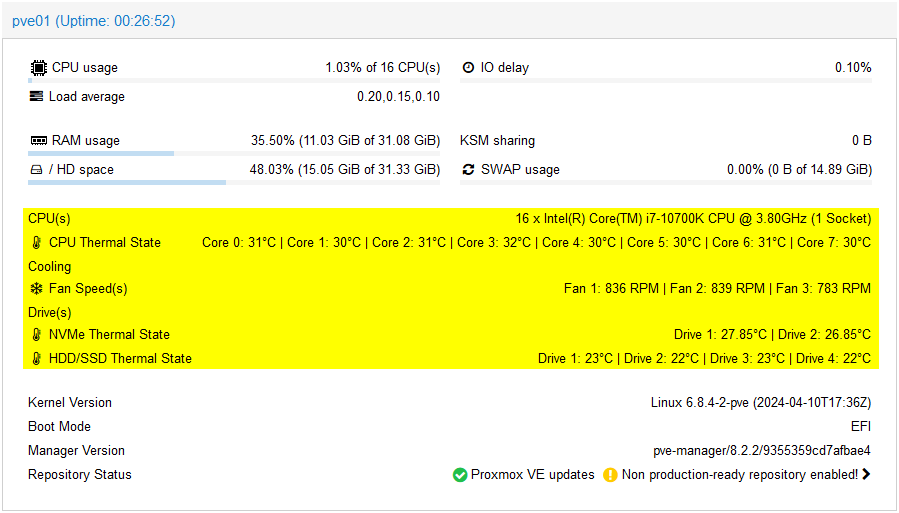
To add more info from the sensors and show that information (fan speed; drives, CPU and RAM temps) directly on the Summary Page. Remove the nag-screen that we do not like (because it forces us to do extra clicks). Or updating all the containers by a command or automatically using CRON scheduling.

3 Mods for a Better PVE Experience
Below is a set of mods to PVE to enhance the experience.
- download the script
- read through the script
If you understand what it will do to your system, and you are OK with it, you can choose to install it.
A Better Summary Page
This bash script installs a modification to the Proxmox GUI to display sensor readings in a flexible and readable manner.
Supported are CPU, NVMe/HDD/SSD temperatures (Celsius/Fahrenheit), fan speeds, ram temperatures, mixed CPU's core nodes setups, motherboard information or system information.
Prerequisite
You need to install the lm-sensors extension.
apt update && apt install lm-sensors Now you can manually check more information about your system by typing (in a terminal) sensors or any of the sub-commands. See the man page.
The config is in the file /etc/sensors3.conf see this man page.
Setup sensors
Run sensors-detect and follow the screen.
Download the script
wget https://raw.githubusercontent.com/Meliox/PVE-mods/main/pve-mod-gui-sensors.shRead through the script and if you understand what it will do to your system, you may choose to install it.
What the script will do:
- Create backups of the original files located at
/usr/share/pve-manager/js/pvemanagerlib.jsand/usr/share/perl5/PVE/API2/Nodes.pmin thebackupdirectory relative to the script location. - Add a new code to the
Nodes.pmfile that enables host system sensor readings using thesensorscommand. - Modify the
pvemanagerlib.jsfile to expand the space in the node status view, add new items that display the temperature information in Celsius for CPUs, NVMe drives, HDDs/SSDs and fan speeds (the actual item list depends on the sensor readings available during the installation). The view layout is also adjusted to no longer match the column number setting and always expands to the full width of the browser window. It is also possible to collapse the panel vertically. - Finally, the script also restarts the
pveproxyservice to apply the changes.
Install the GUI Sensor script
bash pve-mod-gui-sensors.sh installTo test: Clear the browser cache Control + F5 or use a private window.
Uninstall this script
bash pve-mod-gui-sensors.sh uninstallSave Data of the Sensors
Sometimes when you do fault-finding, you need to reference values before or after an event. This command is specifically for that.
bash pve-mod-gui-sensors.sh save-sensors-date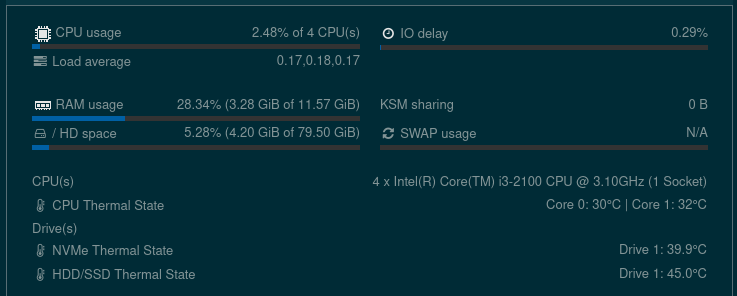
No Nag Screen
To install the mods, you download the script. Read through the script and if you understand what it will do to your system, you can choose to install it.
Download the No Nag Screen script
wget https://raw.githubusercontent.com/Meliox/PVE-mods/main/pve-mod-nag-screen.shInstall the No Nag Screen script
bash pve-mod-nag-screen.sh installUninstall this script
bash pve-mod-nag-screen.sh uninstallUpdate All Running Containers with APT
This script updates all running Proxmox containers, skipping specified excluded containers, and generates a separate log file for each container.
The script first updates the Proxmox host system, then iterates through each container, updates the container, and reboots it if necessary.
Each container's log file is stored in $log_path and the main script log file is named container-upgrade-main.log.
To install the script, download the script. Read through the script and if you understand what it will do to your system, you may choose to install it.
update_container with suitable code and/or logic.Download the script
wget https://raw.githubusercontent.com/Meliox/PVE-mods/main/updateallcontainers.shCreate a directory for the logs
The example below is the default for this script
mkdir scriptsEdit the script
Make your changes like
- Path to logs
- Container IDs to exclude
- Path to Programs
Manual usage
bash updateallcontainers.shAutomate the script to run by cron
Can be added to cron for e.g. monthly update: 0 6 1 * * /root/scripts/updateallcontainers.sh
Modding the GUI – A Solarized like Theme
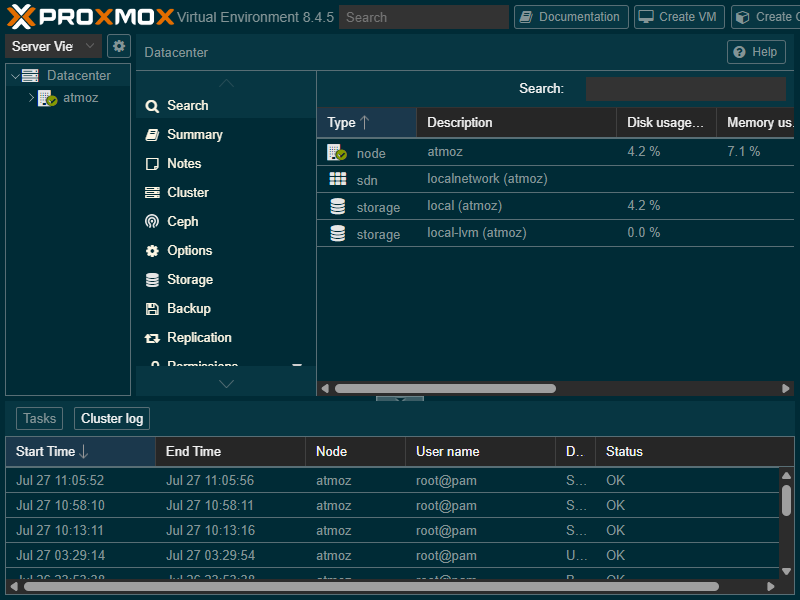
See my post – A new Theme for PVE
References
lm-sensors [1] Proxmox Virtual Environment mods and scripts [2]


